
TypeScript
os-vps
A browser-based graphical shell & control plane for a Linux server you own — terminal, files, metrics & AI in one mobile-first pane.
★ 40⑂ 718 Jul 2026
A browser-based graphical shell & control plane for a Linux server you own — terminal, files, metrics & AI in one mobile-first pane.
A browser-based graphical shell & control plane for a Linux server you own — terminal, files, metrics & AI in one mobile-first pane.
A browser-based graphical shell and single-owner control plane for a Linux server you own —
terminal, files, metrics, and AI in one desktop-style pane, from any browser (especially your phone).


Naming: the product is Manef Shell OS (shown as MSO in the UI chrome); the repo/service slug stays
os-vps(deploy paths, systemd unit, domain).
Administer a headless server from any browser — especially a phone. A real terminal (full PTY — vim, top, ssh all work), file manager, system monitor, media preview and an embedded web browser, in a desktop-style shell. The point is utility: fast admin of a headless box without the weight of XRDP/VNC — and because it's just a web app, it's as usable from a phone as from a laptop.
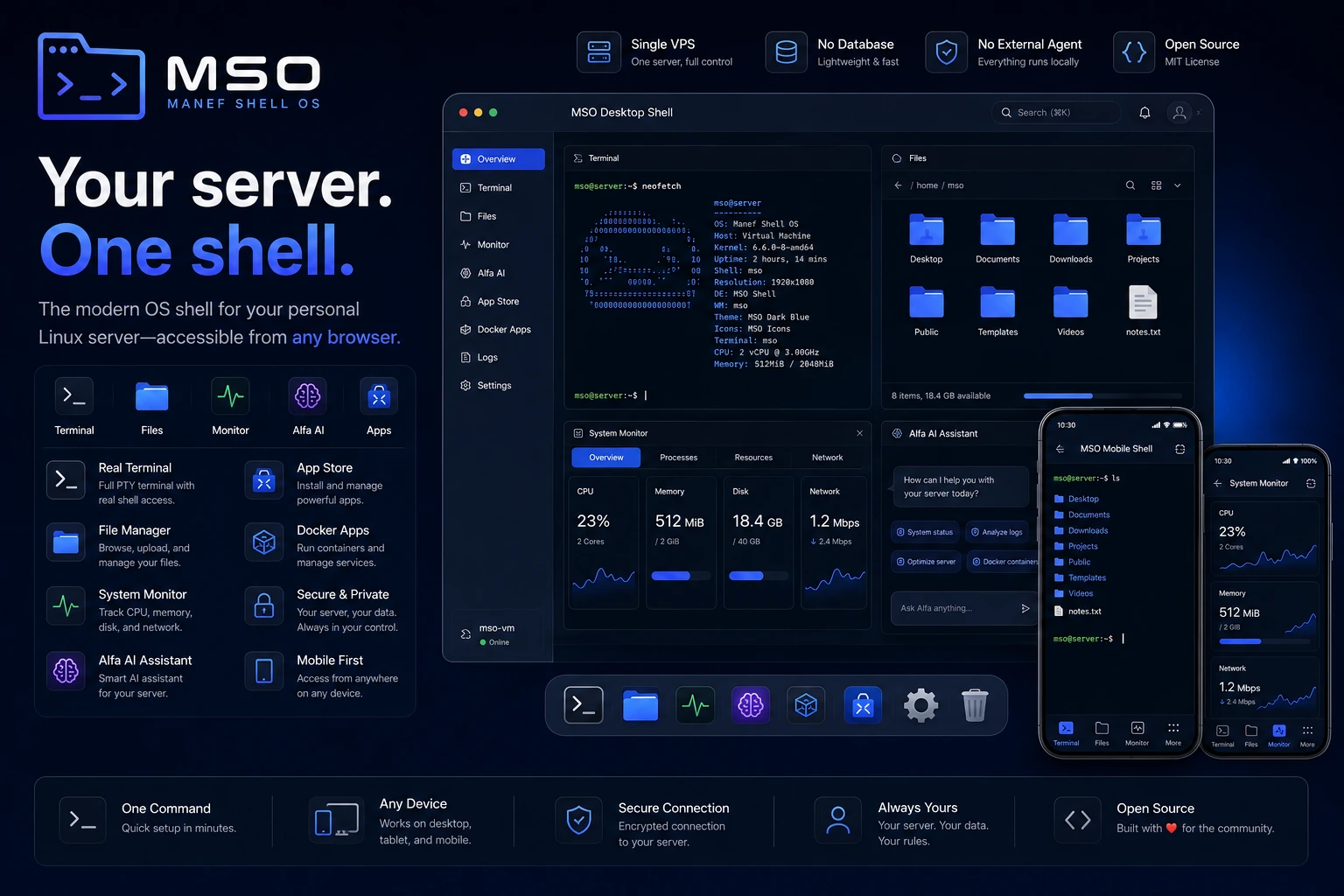
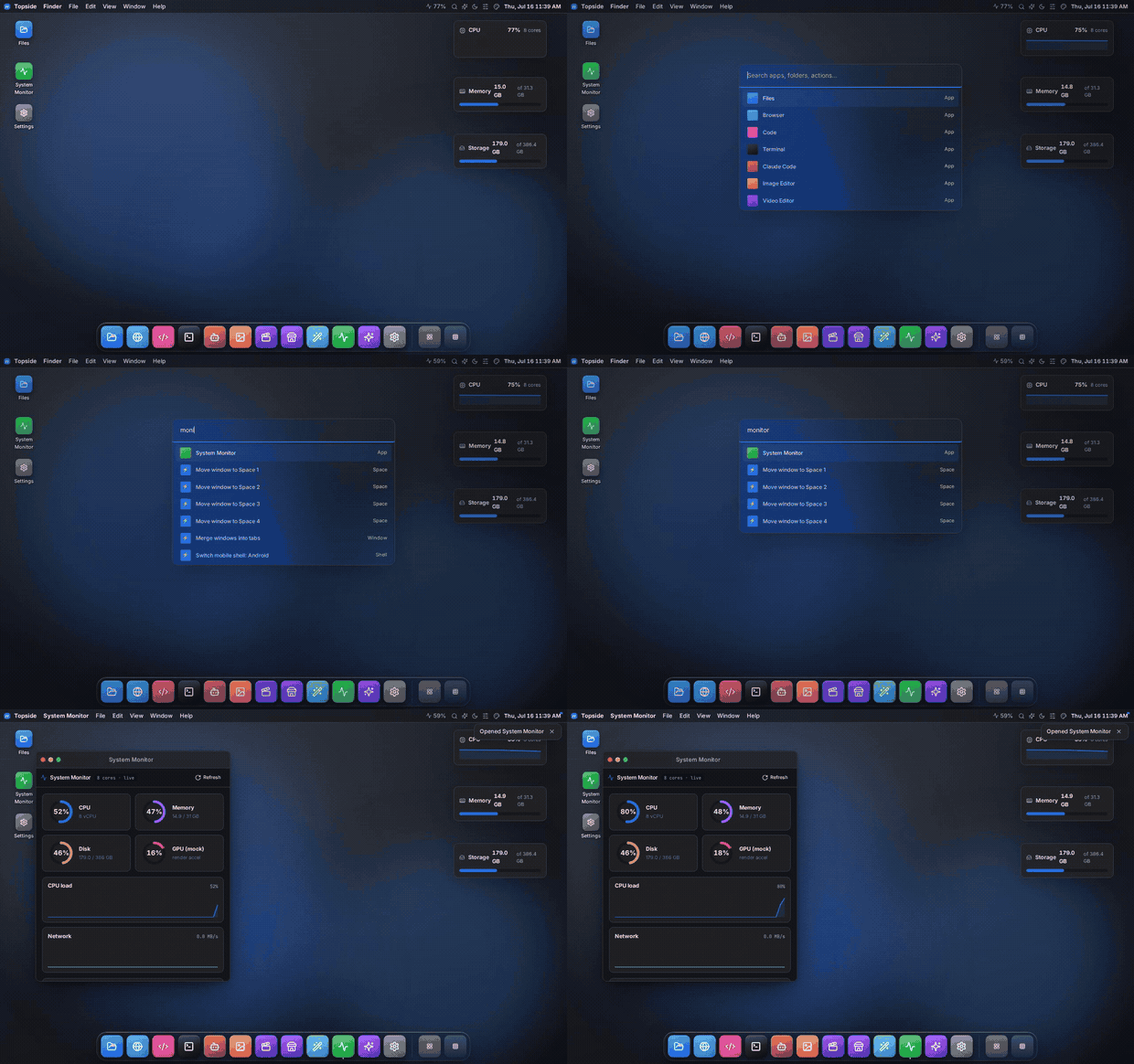
Manef Shell OS is a browser-based graphical shell and single-owner control plane that runs on top of a Linux server you already own. One authenticated pane gives you a terminal, files, live system metrics, an AI assistant and apps — reachable from any browser.
It is NOT an operating system, Linux distribution, kernel or desktop environment · not a hypervisor, container runtime or VPS provider · not multi-tenant and not a SaaS · not a "web shell" backdoor. The macOS, Windows, Android and Dashboard modes are interface layouts, not operating systems — the software underneath is a single non-root Node process. The "OS" in the name is a nod to the desktop metaphor, nothing more.
One command on your VPS — installs prerequisites, builds, and sets up the systemd service:
curl -fsSL https://raw.githubusercontent.com/rahmanef63/os-vps/main/scripts/install.sh | bash
It generates your credentials, prints the first-login password once, and tells you how to pair your first device. Options: … | bash -s -- --port 4005 --no-service; remove with … | bash -s -- --uninstall. Production details (TLS reverse proxy, hardware sizing, security checklist): docs/INSTALL.md.
Single Next.js app that runs on the server as a normal non-root user and talks to the host directly — no database, no external agent. Every feature is a self-contained vertical slice under frontend/slices/<slug>/, so adding an app = one slice + one manifest entry.
flowchart LR
  U["Phone / Browser"]
  subgraph VPS["Your VPS — one non-root Node process"]
    direction TB
    APP["os-vps<br/>Next.js 16 · :4005"]
    APP --> HOST["lib/host<br/>Node fs · child_process<br/>(filesystem-jailed)"]
    APP --> SLICES["feature slices<br/>Files · Terminal · Monitor · Editor"]
    APP --> AI["Alfa — AI assistant"]
  end
  U -->|"HTTPS · signed-cookie auth"| APP
  AI -->|BYOK| MODELS["@rahmanef/models registry"]
  MODELS --> PROV["Anthropic · OpenAI<br/>+ ~34 providers"]
Deep dive: docs/ARCHITECTURE.md.
vim/top/ssh work), not a one-shot command box.Each of these solves one slice of headless-server admin; Manef Shell OS stitches the common ones into a single mobile-first pane.
| MSO | Cockpit | ttyd | FileBrowser | Netdata | Tailscale SSH | |
|---|---|---|---|---|---|---|
| Real PTY terminal | ✅ | ✅ | ✅ | — | — | ✅ |
| File manager | ✅ | ~ | — | ✅ | — | — |
| Live system metrics | ✅ | ✅ | — | — | ✅ | — |
| Built-in AI (BYOK) | ✅ | — | — | — | — | — |
| Mobile-first UI | ✅ | — | — | ~ | ~ | — |
| No database / agent | ✅ | ✅ | ✅ | ✅ | ~ | n/a |
| One-command install | ✅ | ~ | ✅ | ✅ | ✅ | ✅ |
✅ yes · ~ partial · — no
| Layer | Tech | Version |
|---|---|---|
| Framework | Next.js (App Router) | 16 |
| UI runtime | React | 19 |
| Styling | Tailwind CSS + shadcn/ui | 4 |
| Language | TypeScript | 5.9 |
| Terminal | node-pty · @xterm/xterm | 1.1 · 6.0 |
| Runtime | Node.js | ≥ 20.9 (22 recommended) |
| Package manager | pnpm | 10.32 |
| Tests | Vitest · Playwright | 4 |
pnpm install
cp .env.example .env.local   # set OS_LOGIN_PASSWORD + OS_SESSION_SECRET (openssl rand -hex 32)
pnpm dev                     # http://localhost:3000
Full guide (layout, quality gates, the deploy/build hazard): docs/DEVELOPMENT.md.
An authenticated session is the box owner — real shell and file access as the process user, so treat it like an SSH login. Run it behind Tailscale/VPN or a TLS reverse proxy with an IP allowlist, use a strong OS_LOGIN_PASSWORD, and approve only your own devices. Full threat model, mechanics and hardening checklist: docs/FAQ.md · docs/INSTALL.md.
| Doc | What's in it |
|---|---|
| INSTALL.md | Production: credentials, systemd, TLS, hardware sizing, security checklist |
| DEVELOPMENT.md | Local dev, quality gates, deploy + the build hazard, pnpm pin |
| ARCHITECTURE.md | AppShell framework, slices, seams, routing |
| MODELS-INTEGRATION.md | Alfa AI: BYOK, multi-provider model registry |
| FAQ.md · TROUBLESHOOTING.md | Security posture, device approval, costs · errors + fixes |
| SLICE-CATALOG.md · CHANGELOG.md | Every slice in the repo · chronological deltas |
Personal tool, alpha (v0.1.0) — auth + FS jail implemented and the host layer is bounded, but it has not had a third-party security audit. Quality gates (typecheck · lint · vitest · build) run on a pre-push hook; GET /api/health gives a liveness probe.
Part of the Rahman web-OS family: Rahman OS (web-OS shell) · belajar-with-rahmanef (learn AI in a browser OS) · Rahman Resources (the slice library these UIs are built from).
MIT — see LICENSE.